How to Play K3 Game
This page explains a simple, beginner-friendly flow for playing inside the K3 Game App. It’s written to help you understand the screens you’ll see, what each game type usually means, and how to avoid common first-time mistakes.
Screenshot slot
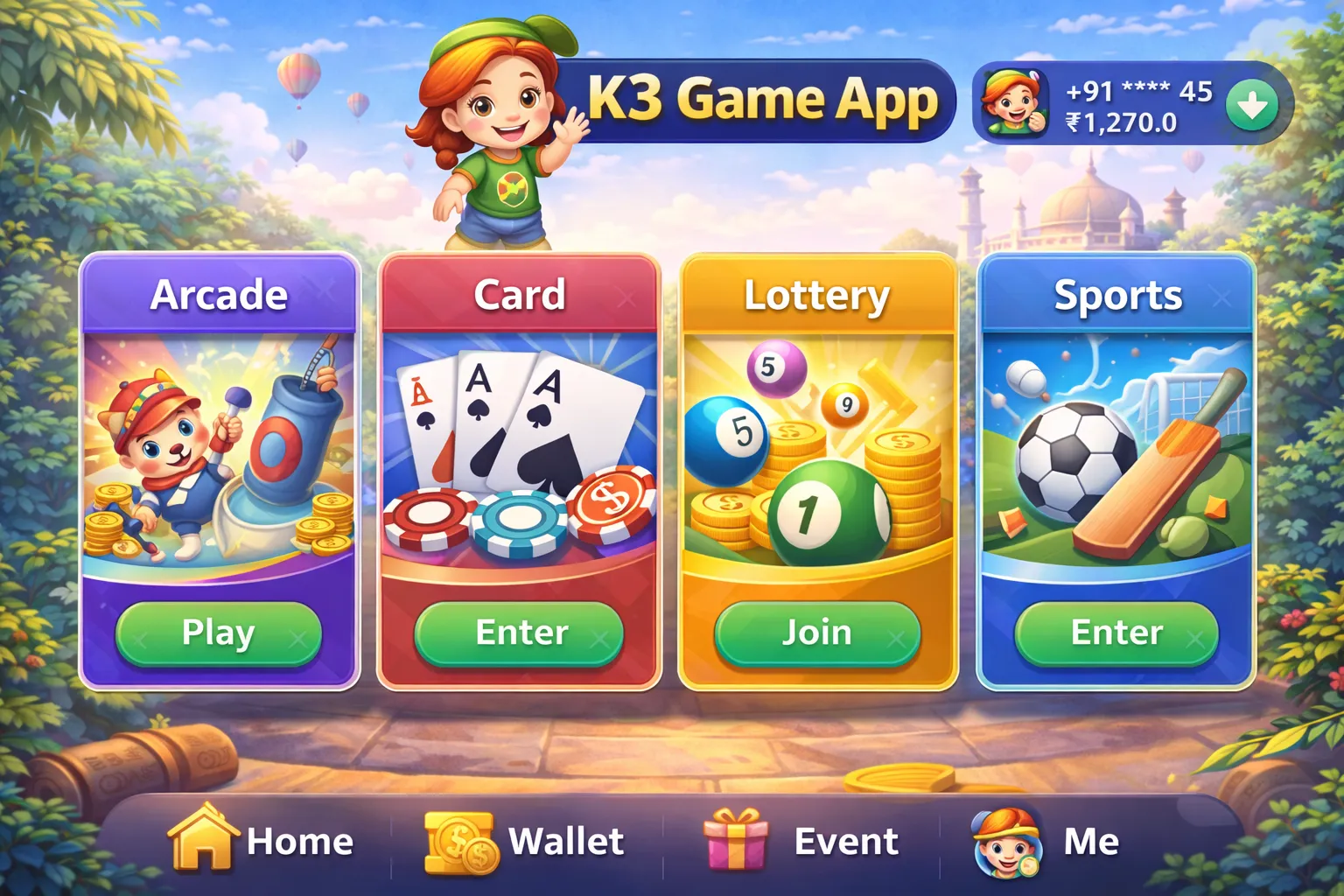
Game types you may see (quick guide)
Different versions of the app may label categories differently. Use this table to understand what each type generally represents.
| Game type | What it usually is | Good for |
|---|---|---|
| Arcade / Video Games | Quick tap-and-play games with simple controls and short rounds. | Trying the app and learning navigation. |
| Card / Poker-style | Card-based matches where you choose a table/room and follow in-game rules. | Slower pace and rule-based gameplay. |
| Lottery / Number games | Time-based rounds where you select an option before the timer ends. | Users who prefer short, structured rounds. |
| Sports / Football | Match-based selections and results-style screens (fixtures, outcomes, stats). | Users who like sports-themed gameplay and comparisons. |
First-session steps (recommended)
- Open the app and confirm you can reach the home screen without loading loops.
- Pick a game type (video/card/number/sports) and enter a mode or room.
- Read the on-screen rules and check the timer (if there is one) before you choose anything.
- Make a selection, then review the confirmation screen carefully.
- Confirm only after checking the option, amount (if any), and the round/match details.
- Review results/history after the round to understand how the game is presented in the app.
Common mistakes to avoid
- Skipping rules/timer and confirming too quickly.
- Changing network during a round (can cause loading or submission issues).
- Using an outdated app build—update first if screens look broken.
- Playing when you’re unsure where the confirmation step is.
Play responsibly
If any game involves real money or in-app spending, set limits before you start, take breaks, and stop immediately if it stops being fun.